Built for Windows 10 and 11 · 64-bit

Screen recording programs that live on your desktop.

No account, no watermark, no overhead — just extract and record. Grab full screens, single windows, or drawn regions with both microphone and system audio muxed into one MP4 file, controlled by hotkeys while you keep working.

No watermark on outputNo account or loginCompletely free foreverv1.0.1
No account neededFull screen or regionMic + speaker audioMP4 or GIF outputPortable, runs anywhere
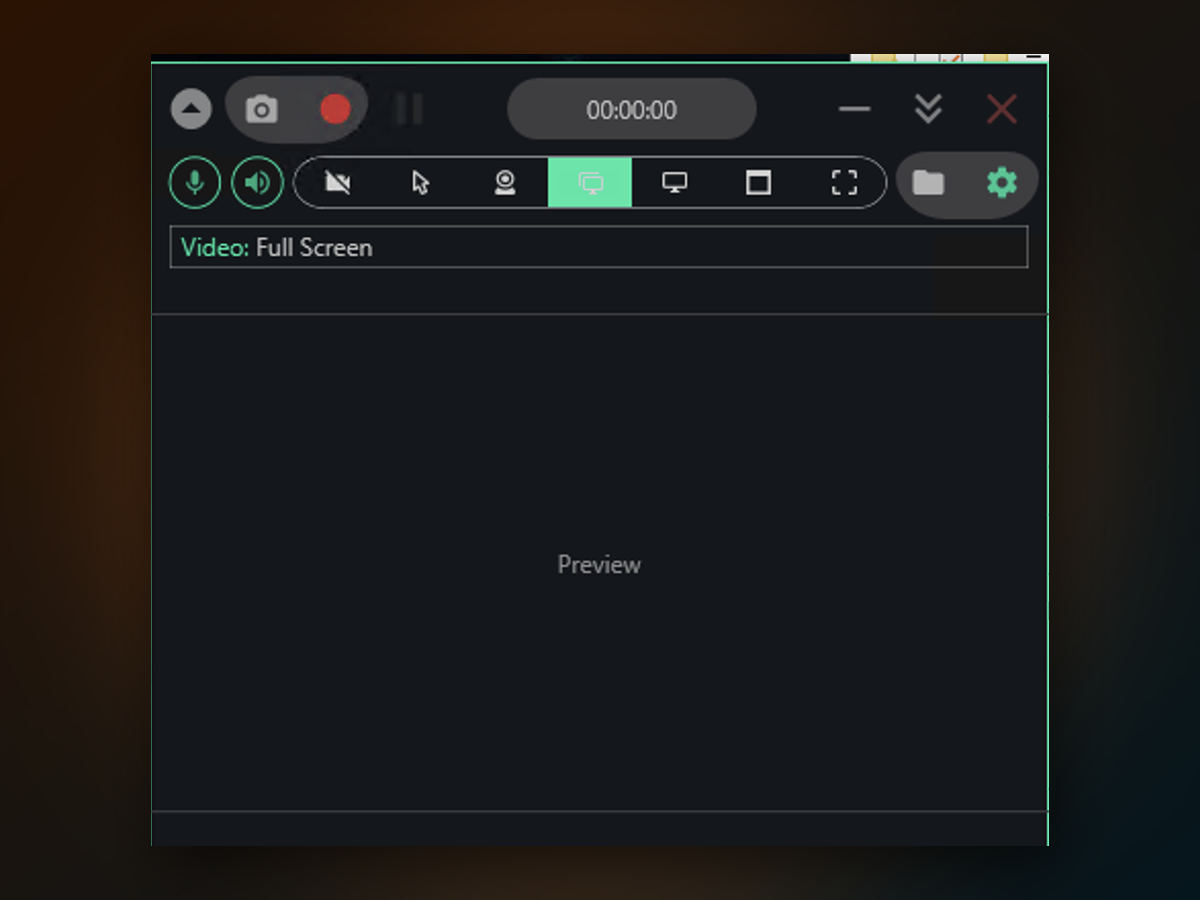
Screen Recording Programs app window on Windows
Real output
Inside the appScreen Recording Programs window

Record clean, uncluttered clips from your monitor.

Output goes straight to MP4 with no compression artifacts or timing drift. Whether you're capturing a tutorial, a bug report, or a quick demo, the file saves locally in your Videos folder and plays on any device.

Full-screen or windowedPick your source before hitting record — entire display, one active window, a drawn box, or a specific monitor.
Audio on your termsToggle mic and speaker tracks independently so you narrate, react, or stay silent — both go into the same file.
Hotkey controlStart, pause, and stop from anywhere without switching windows or losing focus on your work.
Why this tool

Why choose this over built-in tools and bloated alternatives.

Windows Game Bar records game footage but skips File Explorer, folder views, and region selection. Heavy recorders bog down your system and fill your disk.

Getting started

Get started in four steps.

You'll have your first clean recording in under a minute.

Questions answered

Questions answered.

Start recording on your own terms.

Download now and capture your first clip in seconds — no barriers, no overhead, just a clean file in your Videos folder.

Download for Windows
Latest release · v1.0.1